Your app works for one customer. What happens when you add the second?
Turning an internal tool into SaaS? Before adding another customer, ask how the app keeps each business’s records, files and reports separate.
Read the articleTwo GX10s can fit a larger model. Eight GB10 machines offer roughly a terabyte of memory. Here is what the published builds show—and what a buyer still needs to measure.
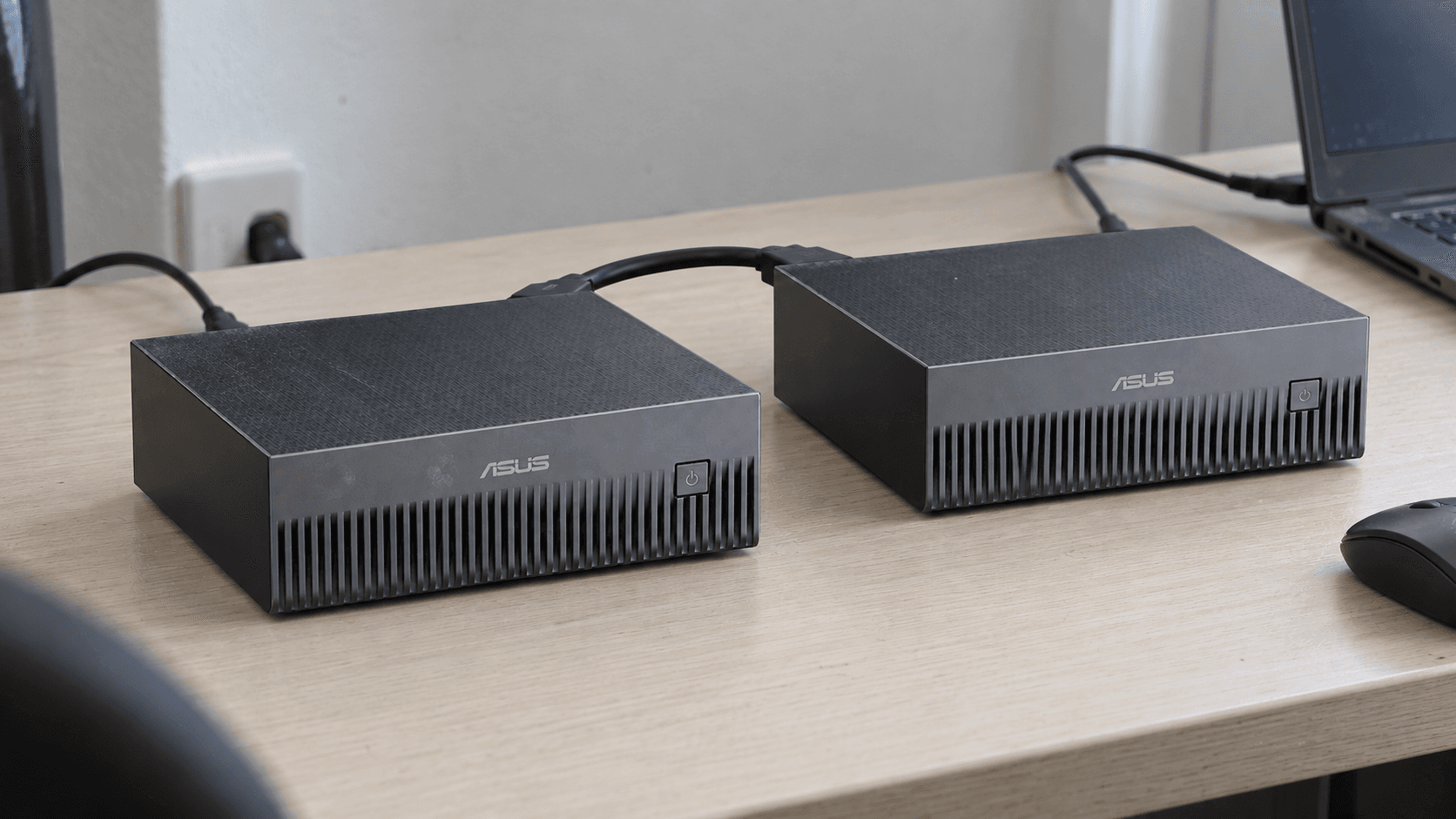
The most interesting AI upgrade I've seen lately is a cable between two small computers. Connect the right machines, configure the software, and a model that would not fit on either one can become usable across the pair.
That is what makes the ASUS Ascent GX10 builds worth a closer look. Two units are an approachable example. Eight machines take the idea into a different category: roughly a terabyte of installed memory, a dedicated network, and a small cluster to operate.
For a founder or engineering team, the interesting question is what that arrangement makes possible for your work. The published builds show real promise. They also show why memory capacity, response speed and useful output need separate measurements.
The GX10 uses NVIDIA's GB10 platform and has 128 GB of coherent unified memory shared by its CPU and GPU. ASUS lists ConnectX-7 networking for linking systems. Two machines therefore provide 256 GB of installed memory across the pair; they do not automatically become one ordinary computer with a single 256 GB graphics card. ASUS specifications.
In his May 2026 build, Techno Tim tested one GX10 and then two in a coding workflow. The pair let him run a four-bit version of MiniMax M2.7. He reported around 41 tokens per second after changing his serving configuration, with both nodes drawing roughly 280–330 watts during parts of the workload.
Those are his observations, not Rosecraft measurements or a guaranteed result. He also changed the model between the single-node and two-node runs. The better app he got from the second run cannot be attributed to an extra box alone. That qualification is essential if you are using the demonstration to make a buying decision.
ServeTheHome's April 27 build connected eight GB10 machines and ran Kimi K2.5 and K2.6 locally. This is a GB10-platform example, not evidence that eight identical ASUS units were tested. GX10 is ASUS's product; GB10 is the NVIDIA platform used by several manufacturers.
The arithmetic is compelling: eight machines at 128 GB each gives 1,024 GB of installed memory across the cluster. Some of that capacity goes to the operating systems, the serving software and the model's working state. How much is usable for a particular model depends on the configuration.
The build used a 400 GbE switch with breakout connections to the nodes. A 400 GbE switch does not make each computer's link 400 Gb/s. The network topology, cabling and endpoint limits still matter.
There is a support distinction too. NVIDIA's current Sync Cluster Assistant documentation describes up to three directly connected Sparks or four through a switch. Its manual switch playbook says the arrangement can extend to more devices. A demonstrated eight-node build is not a promise that every model, serving package or guided installer supports eight nodes.
Software has to divide the job. In NVIDIA's two-Spark tensor-parallel example, each machine holds part of the model's layers and exchanges intermediate results with the other. The connection is part of the computation, rather than just a way to copy a model file at startup.
That communication has a cost. ServeTheHome's performance discussion recommends four nodes for its Qwen3.5-397B setup instead of spreading it across eight. It also reports that moving GPT-OSS-120B from one node to two fell well short of doubling throughput. These are results for the tested software and settings, not a permanent ranking of configurations.
Before choosing a node count, decide which constraint you are trying to change:
Those are different experiments. Buying more nodes before naming the constraint makes the result harder to judge.
ServeTheHome reported roughly 900–950 watts while running models such as Kimi K2.5, including its two switches. Idle draw was around 430 watts with both switches. It also described a path to about 1.2 kW with more CPU load. Those figures cover that tested cluster, not every eight-node installation or the rest of an office.
For an illustrative electricity calculation, 925 watts for eight hours on 22 workdays is 162.8 kWh. At an assumed $0.25 per kWh, that is $40.70 for those active hours. Overnight idle consumption, other equipment and cooling would add to it. Use your actual tariff and measured schedule before calling local inference cheaper.
The same April report put its cluster in a $23,000–$35,000 range. That is historical context, not a current quotation. Obtain current prices for the machines, switch, cables and storage, then include the time someone will spend maintaining them. An API bill is easy to see; hours spent recovering a broken serving environment belong in the comparison too.
Here is the pilot I would scope for a small team: one repeated task, a representative set of inputs, and an agreed definition of a usable result. For example, extracting specified fields from documents your business is authorized to process. Include awkward scans and incomplete records, not just the tidy examples that make a demo look good.
Run the same task against the candidate local setup and the existing alternative. Record the model version, quantization, serving version, context length and concurrency. Count correct results and human corrections, then measure waiting time, energy and operator effort. A fast answer that creates ten minutes of checking can lose the comparison.
Local execution can give a team more control over where model inference happens. It does not, by itself, keep every document on the premises. An agent can still call external tools; logs and backups can still leave the network. Inspect the complete workflow if keeping data local is part of the reason for buying.
I can see a strong case for a compact cluster when a useful model needs the memory, the team needs control over inference, and someone owns the operational work. An eight-machine setup may also be a worthwhile research platform. The purchase becomes much easier to defend when you can name the work it will do and show what improved.
Rosecraft's AI evaluation and integration work starts with that workload. Tell us what you want to run locally, who will use it and what needs to improve. Those answers are more useful than a shopping list of machines.
Images show illustrative hardware arrangements. Published test results are attributed to their original authors. Research checked October 2, 2026.


Turning an internal tool into SaaS? Before adding another customer, ask how the app keeps each business’s records, files and reports separate.
Read the article
Buying custom software? Ask for a working preview, realistic test accounts and a clear task before approving the next milestone.
Read the article
An AI agent that needs approval for every step can create more work. Define permissions, useful exceptions and a workflow you can actually hand over.
Read the articleWith your permission, Google Analytics helps us understand which pages people visit. Analytics cookies stay off until you accept. You can change this in Cookie settings.