Your AI agent has given you another job
An AI agent that needs approval for every step can create more work. Define permissions, useful exceptions and a workflow you can actually hand over.
Read the articleA chat box is useful for exploring a problem. For repeated work, clear controls may serve people better. How to compare the options before building.
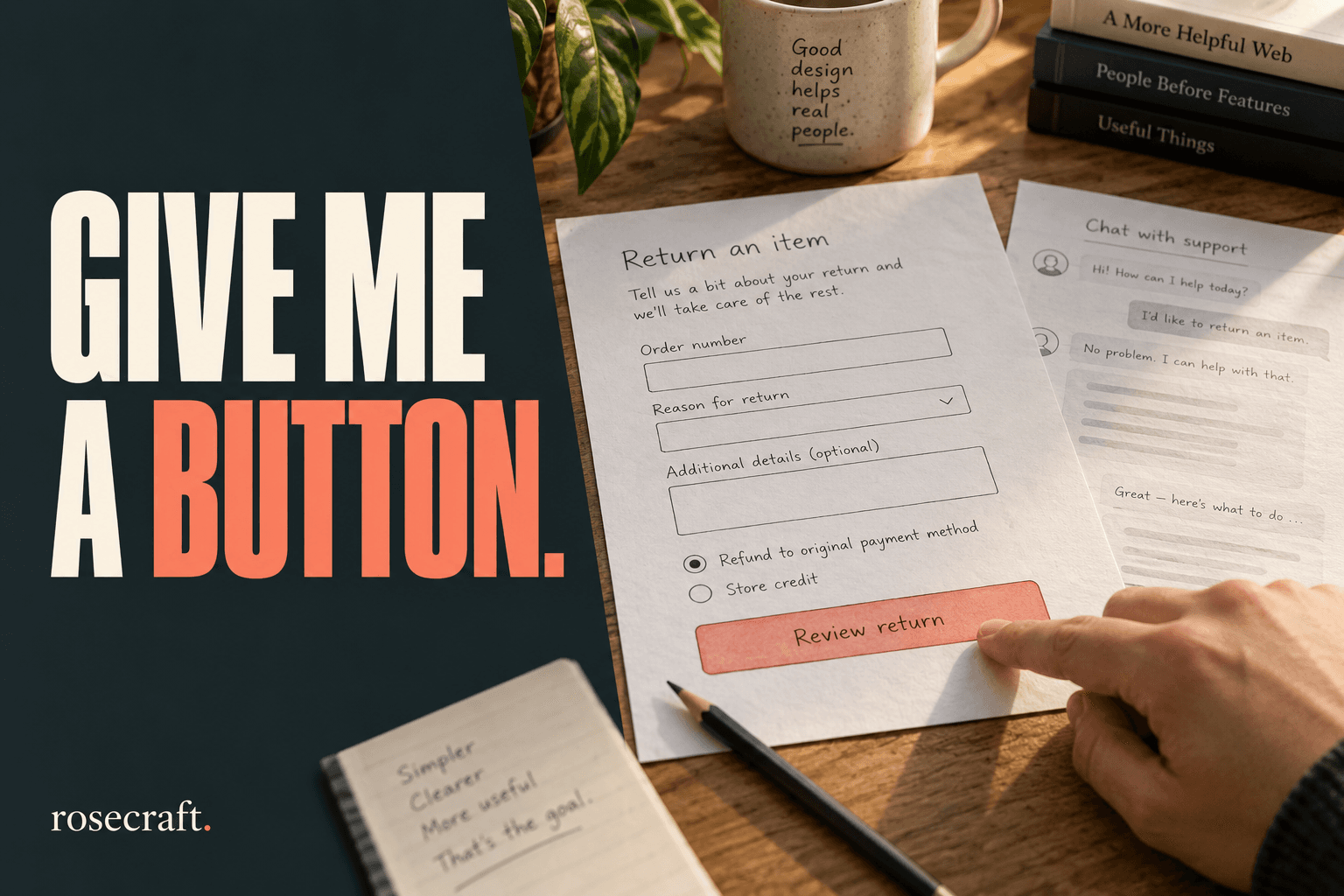
I don’t want to prompt your software. I want to use it. If I’m arranging a return, changing a delivery date or checking an order, I should be able to see what the application needs from me. A blank chat box makes me work that out before I can begin.
Conversation can be a very good way to explore a problem. It becomes less appealing when the problem is already understood and the same person needs to finish the same task twenty times a day. That distinction matters when a business is paying to add AI to an application.
In a September 24 article about the GitHub Copilot app, Burke Holland describes canvases: interfaces that let people work with an agent through a small application rather than conversation alone. It is a product article, not a controlled comparison of every interface. Still, the direction is interesting. Even a product built around an AI assistant has reasons to give users something other than a message box.
For a business owner, the useful question is which parts of the job deserve conversation and which should already be understood by the software.
Imagine a shop employee handling a customer return. This is an illustrative workflow, not a report of a client project. The employee has an order number, two items and a short explanation from the customer. They need to find the purchase, identify what is coming back and record the proposed resolution.
A chat-first design might ask the employee to describe all of that in a message. The assistant then asks which order, whether the customer wants an exchange and which address to use. It may be perfectly capable of completing the task. But the employee has had to discover the required information through a sequence of replies.
A focused screen could show the order search, the purchased items, the available resolutions and the relevant policy together. Selecting an item makes its quantity visible. An unavailable option explains why it is unavailable. A review button shows what will be recorded before anything changes.
AI could still help. It might turn the customer’s long email into a short draft explanation, suggest a category or find the relevant policy passage. The employee can check those suggestions in the context of the actual order. They should not need to compose a fresh instruction just to reach the next step.
A conventional interface can make available actions visible. Conversation often makes the user ask what is possible, remember what has already been agreed and describe a correction in words. That flexibility is valuable when the task is unfamiliar. For a repeated transaction, it can become effort the product could have removed.
Consider correcting the quantity of one item. In a form, the employee can change a specific value while the other information stays in view. In a conversation, they may need to clarify which item they mean and check whether the correction affected the rest of the request. A well-designed chat interface can address this with editable cards or other controls. Once it does, those controls are doing real product work.
Good forms need design too. A screen with thirty unexplained fields is no improvement. W3C’s forms guidance recommends asking only for information needed to complete the process and providing clear labels and instructions. Its notification guidance also calls for understandable error messages and confirmation of success. Adding AI does not remove those needs.
I would keep open-ended input for the parts that are genuinely open-ended: describing an unusual problem, exploring alternatives or asking a follow-up question about a result. People should not have to squeeze a complicated explanation into a dropdown that cannot express it.
Once the system has enough information to propose an action, it can present that action in a stable, editable view. For the return example, that means the order, items, quantities and resolution remain visible together. If the employee changes something, the review should reflect the change.
The GOV.UK Design System’s check-answers pattern is a useful reference: show people what they are about to submit, let them correct it and make the final action explicit. It was not invented for AI. The same basic idea helps when a model has filled in some of the information.
The application still has to enforce permissions and business rules on the server. A friendly button is not a security boundary, and a chat transcript is not proof that a change succeeded. After submission, the interface should show the recorded outcome or a specific failure that the employee can act on.
Before commissioning a full chatbot, choose one frequent task and compare a conversational prototype with a focused screen. Give people realistic examples, including a missing detail and a correction halfway through. Avoid coaching them through the exact wording the assistant expects.
Watch whether they finish correctly, where they hesitate, how often they repeat information and whether they can explain what the system actually changed. Count corrections as part of the task time. A short trial will not establish long-term reliability, but it can reveal that you are building the wrong interface before you build much of it.
Sometimes the conversation will win. Sometimes a form, a table or a single well-placed button will make the work easier. A useful product can combine them without making the customer care which parts use a model.
If your team is repeatedly explaining the same workflow to its software, Rosecraft can help turn that workflow into a focused business application. Tell us which task keeps sending people back to chat, email or a spreadsheet, and we can discuss what a better screen would need to do.


An AI agent that needs approval for every step can create more work. Define permissions, useful exceptions and a workflow you can actually hand over.
Read the article
Before hiring someone to finish an AI-built app, define what works, what needs fixing and what a paid assessment should tell you.
Read the article
A practical business-app handover guide: ownership, data access, automation connections and the work your next maintainer needs to be able to do.
Read the articleWith your permission, Google Analytics helps us understand which pages people visit. Analytics cookies stay off until you accept. You can change this in Cookie settings.